

Author: Mark
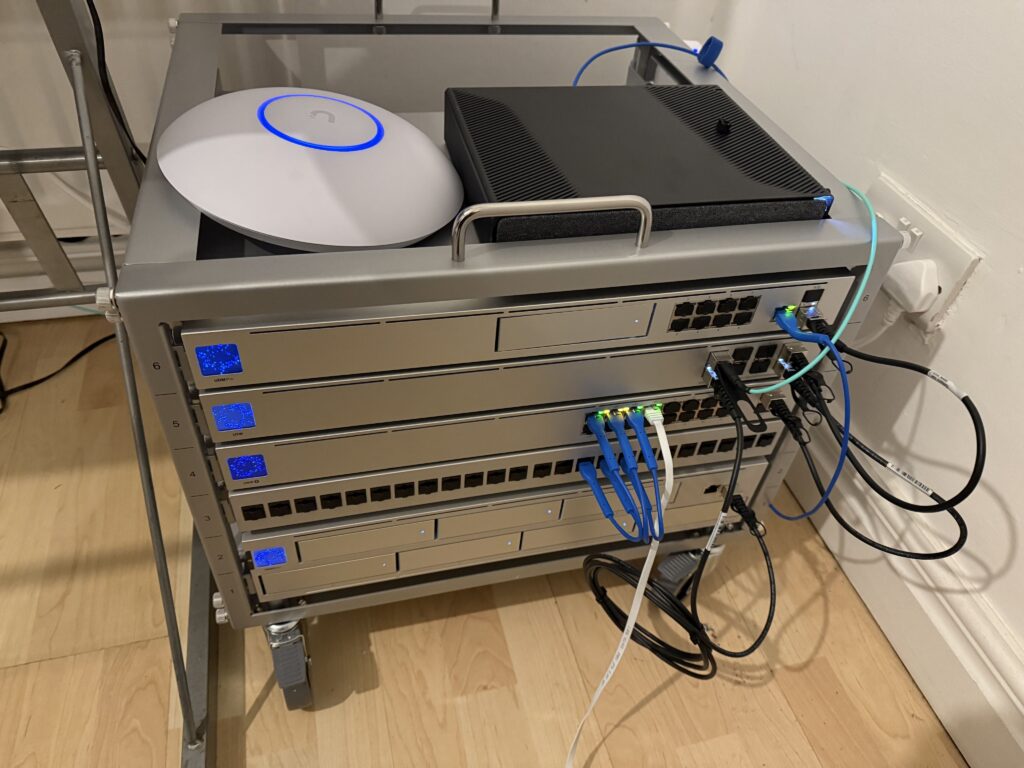
PiHole & Unbound
Installation Steps
Install Ubuntu Server 20.04 (https://ubuntu.com/download/server)
Install Pi-Hole – sudo curl -sSL https://install.pi-hole.net | bash
Set the Web Admin Password – pihole -a -p [password]
Install Unbound DNS – sudo apt install unbound
Create Unbound Configuration File – sudo nano /etc/unbound/unbound.conf.d/pi-hole.conf
Copy example config – https://docs.pi-hole.net/guides/dns/unbound/
Restart Unbound to apply Configuration – sudo service unbound restart
Disable Forwarding DNS in PiHole
Set Custom DNS in PiHole – 127.0.0.1#5335
Raspberry Pi 5 8GB, Active Cooler, NVMe HAB!
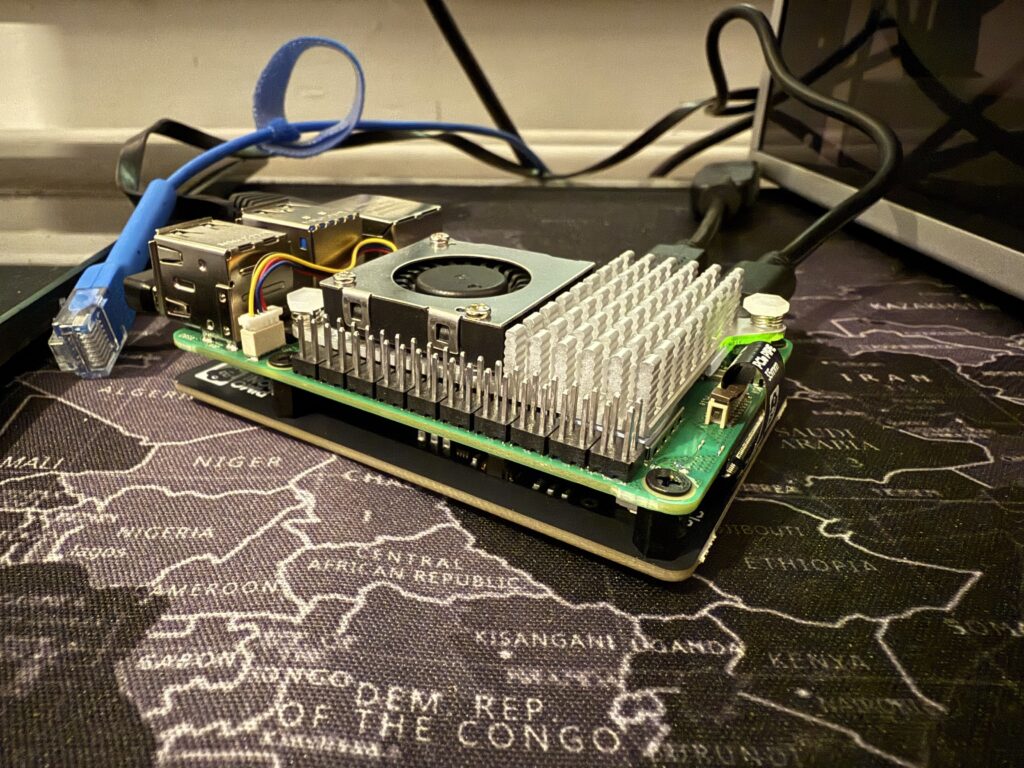
Pretty sure I don’t need an excuse, but it is Xmas, so thought I’d treat myself (again, again, again) but it’s a nice platform to try more docker containers that I haven’t tried before. It’s quiet, and the fan doesn’t even really spin a lot, so it’s quiet. It was easy to put together and now has a 500GB NVMe drive inside it, no SD card, it boots right from the NVMe!
Happy days!
DeskPi Rackmate T1 Server Rack
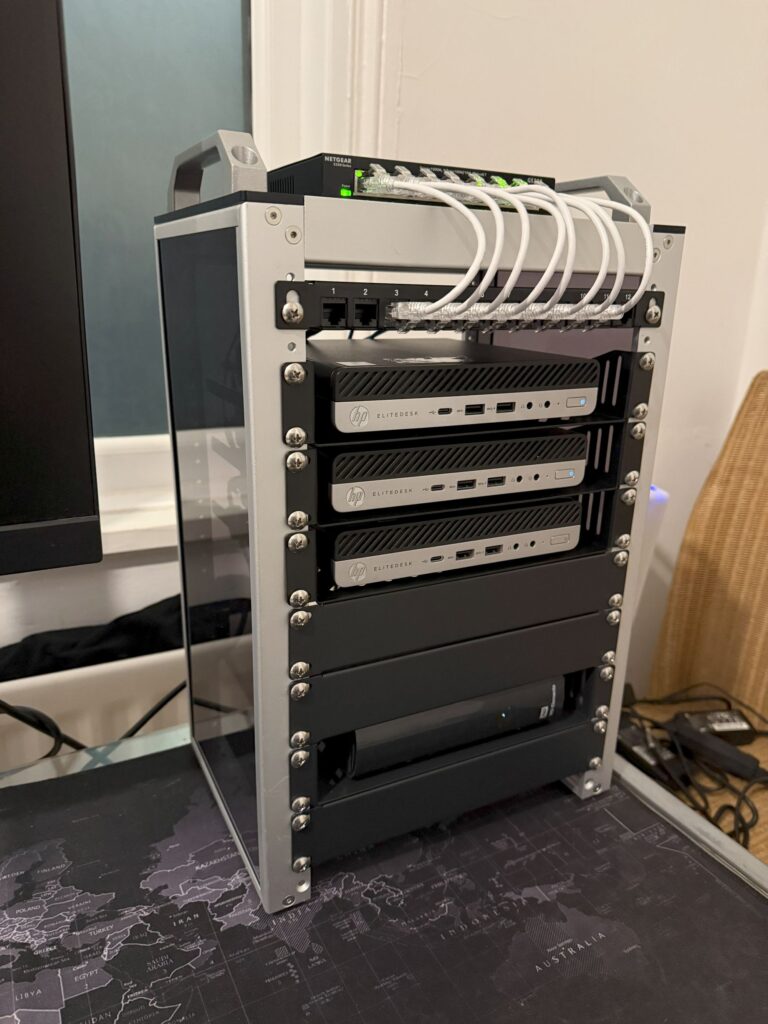
I’m LOVING this setup! All up and running, wired.
Machines:
Proxmox – Plex, Nextcloud, CasaOS, on CasaOS I am running Qbittorrent and metube
Proxmox – CasaOS, just as a dropbox alternative
Ubuntu – third machine down is just for testing Linux distros, messing around, all the good stuff
USB 8TB drive – holds all the media for Plex, Ive got this connected through the Plex VM /etc/fstab to mount on boot/reboot
Mapped all the folders through Windows and it’s fine, Plex is picking up remotely absolutely fine, very happy! 
Angela White, cheeky!

I can only imagine what the view was from behind, Id have my tongue all up, in, and around that pooty.
Skyrim Enchants
Okay so Im sick of fucking trying to work this shit out.
Alchemy/Smithing/Stamina/Health/Lockpicking/Sneak/Pickpocket/Carry Weight/Archery/Magicka
Head – Magicka/Lockpicking
Body – Health/Smithing
Hands – Alchemy/Pickpocket
Boots – Sneak/Carry Weight
Ring – one handed/destruction
Necklace – Stamina/Archery
Bow – some form of soul trap
Skyrim Resto Loop Console Commands
It’s easy when you know how…
player.additem 0002e504 100 – Black Soul Gems
player.AddItem 0000000F 99999 – Add Gold
Fortify Restoration
player.additem 00106e1b 50 – Abecean Longfin
player.additem 00106e19 50 – Cyrodilic Spadetail
Fortify Smithing
player.additem 0004da25 50 – Blisterwort
player.additem 0007ee01 50 – Glowing Mushroom
Fortify Enchanting
player.additem 0001b3bd 50 – Snowberries
player.additem 000727de 50 – Blue Butterfly Wing
Necklace of Alchemy:
player.additem 0010df46 1
Eat Viola.
Titties and Milk

There’s really nothing better, than titties and milk.
Bloody Linux
Dear Linux, I want to love you. I do. I want to have your babies, I want those babies to understand that you’re great. But you’re not, and it hurts.
I’ve dumped Windows (again) and I’m making a concerted effort to make Linux work no matter what. I did the usual of going through all the latest versions of all the ‘better’ distros, I settled on Linux Mint with GNOME installed and it’s fine.
Common Linux bugbears for me tend to be:
Gaming
Samba shares
The Photoshop Problem
Connecting to my NAS (same as above)
Package managers
Package manager wise, I prefer APT, SMB for my NAS just isnt pretty. You have to go into files, down to the location at the bottom of the window and type in your network address. In Mint, thankfully, it automatically picks up my NAS and I dont have to do this. For me, those two things are a big win.
Gaming is in two flavours, either via Steam and piracy.
In Steam, I have a Steam Deck also so I am now more used to it, but some games require you to play ‘hit and miss’ with proton versions to try and get working. FFXV is a perfect example, anything newer than v6 causes artifacts under Mint and it’s a pain. I just want it to ‘work’.
Piracy under Linux, again I think thanks to the Steam Deck, has come a long way thanks to WINE, Lutris and the Heroic Games Launcher. I’ve NEVER managed to get this working properly. I’ve always gone back to Windows because something’s come out that I want to play but dont want to buy it without giving it a go. Whatever your views are on piracy, I dont care. Sorry. You do you, Ill do me. So the new Elden Ring DLC came out and I thought I’d use that as my yardstick to get working, after an afternoon of headscratching I now think Ive got the whole thing sorted out in my autistic brain. I’m using HGL and it runs the game great – I dont like Elden Ring, but I wasnt about to fork over a 50 just to try it.
Similarly to piracy, I love using Photoshop. I understand there’s ways to get this working with the above launchers, it’s going to be my next adventure into tinkering, but I cant say Im looking forward to it. I hate dual booting, I just end up with having two seperate installations that I need to keep switching between and it’s extremely inconvenient.
I appreciate that not all of the above are the fault of Linux, or the Mint team etc, it’s just my use case. I realise that the core of Windows, what it SHOULD be, is what’s spoiled me all these years. I just cant be bothered with the mega corporation bullshit anymore. Microsoft has been really screwing the pooch over the past couple of months and it’s now less than trivial how much I hate what Windows has become.
So yeah, I’m trying to be friends with Linux but it’s hard. It’s like that friend that you love hanging out with, but then they get drunk and abusive and you just cant be around them anymore. I want to love Linux, and I’m going to keep trying.